
When something goes wrong mid-session, you need help fast. The ReddyBook Customer Care team is available on WhatsApp 24 hours a day, 7 days a week. No ticket systems, no automated bots, no email queues. A real person responds and sorts the issue out directly.
All support runs through WhatsApp. The same channel connected to your ReddyBook ID. No separate portal, no external system. One message and you are talking to someone who can see your account, your bets and your transactions.
How ReddyBook Customer Care Works
Every support request is handled by a real person on WhatsApp. When you message us, include the following in your first message:
- Your Book ID
- A clear description of the issue
- A screenshot if relevant
- The time the problem occurred
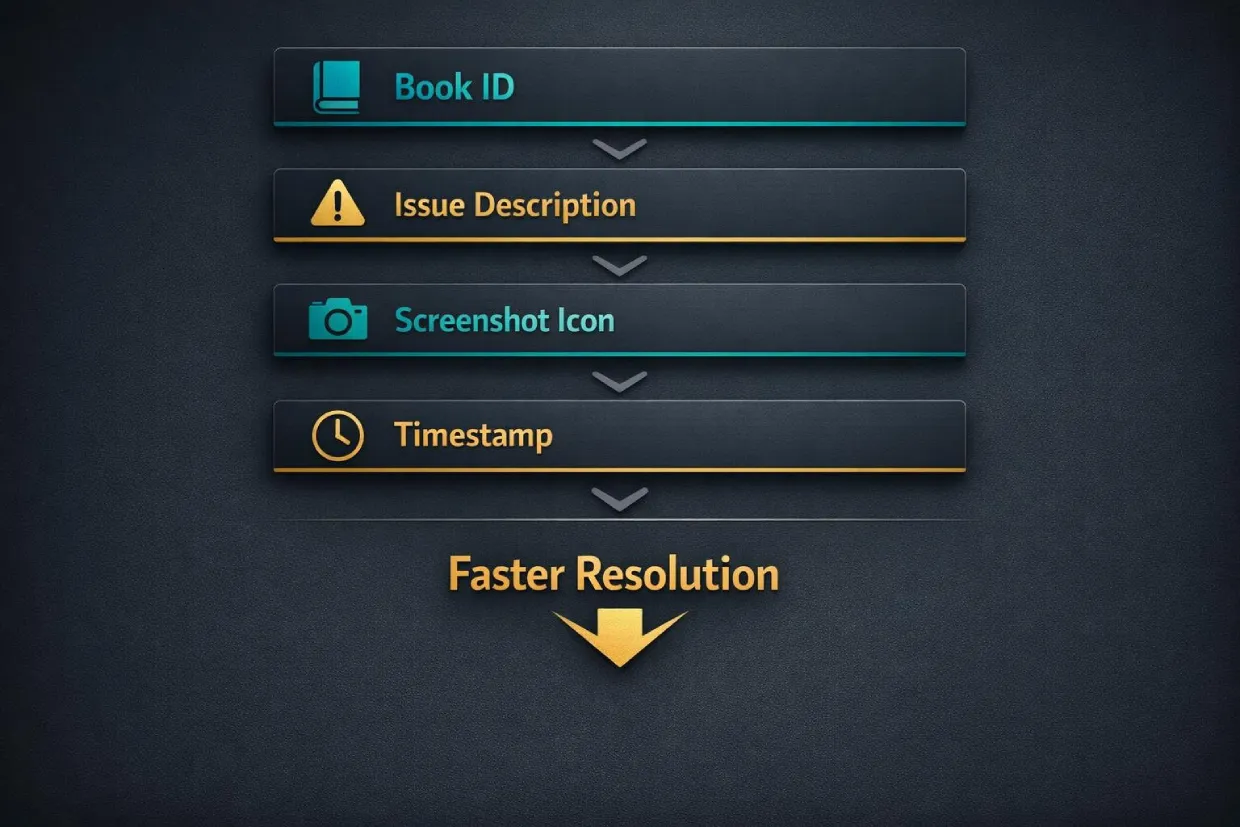
The more detail you provide upfront, the faster we resolve it. A message like “balance issue” takes longer to process than one that includes your ID, the exact amount and the time of the transaction. Complete first messages get resolved in a single exchange. Vague messages create back-and-forth that slows everything down.
ReddyBook Customer Care does not ask for your password through any channel. If anyone requests your password claiming to be support, it is not us.
Live Cricket Support
Most ReddyBook Customer Care requests happen during live matches. Session markets move fast and it is easy to misread a suspension or a balance update as an error.
Before contacting support during a live match, check these first:
- Session still unsettled? Your balance may look different until the over or event completes. Once the session settles, the correct amount reflects automatically.
- Odds suspended? During key moments like a wicket or a review, odds temporarily suspend. This is normal and they resume once the event is resolved.
- Bet still open? If you placed a bet on a market that has not finished, it will not show as settled in your balance yet. Wait for the market to close before flagging it.
Many live betting queries resolve themselves within minutes. If the issue persists after the market settles, message the team with your Book ID, the match name, the specific bet and the time it was placed.
For a full breakdown of how session markets, fancy bets and live odds work, the Cricket Betting page covers it in detail.
Login and Access Help
If you cannot access your account, try these steps first:
- Type your credentials manually instead of pasting. Autocorrect and hidden spaces cause most login failures.
- Do not attempt rapid repeated logins. Multiple failed attempts can temporarily lock your account for security.
- Confirm you are using the current official URL. Older links may have been retired.
- Clear your browser cache or try a different browser.
If none of that works, message ReddyBook Customer Care on WhatsApp with your Book ID and device details. The team will verify your identity and restore access quickly.
For a full list of login troubleshooting steps, the ReddyBook Login page covers every common issue and fix.
Payment Support
Payment queries are the second most common reason people contact ReddyBook Customer Care. Most are resolved quickly once the right details are provided.
Deposit Not Credited
If your payment was deducted from your bank or UPI app but has not shown up in your account balance:
- Do not send a second payment. Wait and contact support first.
- Provide your Book ID, transaction ID, exact amount and the time it was sent
- Include a screenshot of the transaction from your banking app or UPI app
- Mention the payment method used (Google Pay, PhonePe, Paytm, net banking, IMPS)
Most deposit issues are caused by sending to the wrong UPI ID, unclear transaction screenshots or network interruptions mid-transfer. With the right details, the team resolves these in minutes.
Withdrawal Taking Longer Than Expected
Withdrawals are available 24 hours a day and typically process in minutes. If yours is taking longer:
- Check if you have unsettled bets. Open positions on live markets affect your withdrawable balance.
- Large withdrawal amounts may trigger a verification check for security purposes.
- Peak traffic during major matches like IPL knockouts can extend processing slightly.
If your withdrawal has been pending for longer than expected, message the team with your Book ID and the amount requested. Do not submit multiple withdrawal requests for the same amount as this can slow the review process.
Available Balance vs Total Balance
Your total balance includes funds tied up in active bets and unsettled markets. Your available balance is what you can actually withdraw right now.
If you see a difference between the two, it usually means:
- You have active bets that have not settled yet
- A live session market is still in play
- A fancy bet or match market has not officially closed
Once the markets settle, the amounts reconcile automatically. This is not an error. It is how exchange betting works.
Verification Checks
Occasionally, ReddyBook Customer Care may ask you to confirm account details. This happens when:
- A large transaction is processed
- Unusual activity is detected on your account
- A routine security check is triggered
Verification is handled directly on WhatsApp. Respond through the same official channel. Do not attempt to create a secondary account to bypass a review. Provide your Book ID, recent transaction details and any information requested. Checks are completed quickly once details are confirmed.
App and Technical Support
If the ReddyBook App freezes, crashes or behaves unexpectedly:
- Force-close the app and reopen it
- Check your internet connection. Switching between Wi-Fi and mobile data mid-session can cause issues.
- Clear the app cache from your phone settings
- Check if an update is available. Request the latest version through WhatsApp if needed.
If the issue continues, message the team with your device model, Android version and a screenshot of the problem. ReddyBook Customer Care will identify the cause and walk you through the fix.
ReddyBook Customer Care Response Times
The team is active around the clock, including during all major matches and betting windows. Under normal conditions, responses come within minutes.
During peak traffic periods, response times may be slightly longer:
- IPL knockout matches and finals
- India international fixtures with high betting volume
- High-volume weekends with multiple live events running
The single most effective way to get a fast resolution from ReddyBook Customer Care is to send complete information on your first message. When the team has your Book ID, a clear description, relevant screenshots and timestamps, there is no need for follow-up questions.
ReddyBook Customer Care FAQ
How do I contact ReddyBook Customer Care?
Through WhatsApp only. Use the official number listed on the website. All support is handled in the same chat channel connected to your account.